Tag: temporary email

  • Temp Mail Not Working (2026): Fix “Not Receiving Emails” in 5 Minutes

    Temp Mail Not Working (2026): Fix “Not Receiving Emails” in 5 Minutes

    Updated January 2026.

    If temp mail is not working (or your temporary inbox isn’t receiving emails), you’re not alone. Most failures come down to one of three things: sender delay, domain blocking, or a refresh/UX issue (especially on mobile).

    If you need a working disposable inbox right now, start here: Anonibox temporary email generator. Generate an address, wait for the OTP/confirmation, then delete the inbox when you’re done.


    Fast fix checklist (do this first)

    Before you restart your signup flow, try these quick steps in order:

    1. Wait 60–90 seconds. Many platforms queue verification emails.
    2. Click “Resend code” once. Don’t spam resend—some sites throttle.
    3. Keep the inbox tab open. Mobile browsers can pause background refresh.
    4. Refresh the inbox page. Some temp inboxes don’t auto-update reliably.
    5. Generate a new address and retry. New signup → new inbox is often the fastest fix.

    If you’re doing a low‑stakes signup, retrying with a fresh address on Anonibox is usually the fastest path.


    Why temp mail stops working (the real reasons)

    1) The sender delays the email

    Verification emails aren’t always instant. Some platforms batch, queue, or throttle OTP delivery—especially if they suspect unusual activity (too many signups, too many resends, etc.).

    2) The website blocks disposable email domains

    Some sites reject temporary email domains to reduce automation and abuse. If the form accepts the email but the code never arrives, domain blocking is a common cause.

    Best practice: if you might keep the account (password resets, receipts, access later), switch to an alias instead of disposable email: Email Alias (2025).

    3) Public inbox patterns create collisions

    Some temp email providers operate like public mailboxes (anyone who guesses the address can view it). That can cause confusion, collisions, or “missing email” assumptions if multiple people use similar inbox names.

    4) Your browser tab is sleeping (mobile problem)

    On iOS/Android, browser tabs can sleep aggressively. If you switch apps or lock your phone, the inbox may stop refreshing. Keep the temp inbox tab open and active until you get your code.

    5) You’re using the wrong address or wrong tab

    This one is painfully common: you copied one address, then generated a new one, but you’re watching the old inbox. Make sure the address in the signup form matches the inbox you’re viewing.


    Step-by-step troubleshooting (works for most services)

    Step 1: Confirm the address (no typos)

    • Re-copy the temp email address and paste it again.
    • Check for extra spaces before/after the address.

    Step 2: Retry with a brand-new address

    New signup flow → new inbox. This fixes issues caused by:

    • delayed emails arriving to the “wrong” inbox,
    • temporary refresh glitches,
    • or blocked/flagged addresses.

    Fastest workflow: Anonibox temporary email generator.

    Step 3: If the site still doesn’t deliver, assume domain blocking

    When a platform blocks temp mail, you’ll often see one of these patterns:

    • the email field accepts the address, but no email ever arrives,
    • the site immediately says “invalid email,”
    • or the site silently fails after you click “send code.”

    In those cases, you have two clean options:

    • If you might keep the account: use an email alias (recoverable).
    • If you only want spam separation: use a dedicated secondary mailbox you control.

    Step 4: Avoid “timer traps” with 10-minute inboxes

    If your inbox expires before the message arrives, switch to a non-timer workflow. Read: 10 Minute Mail Alternative (2026).


    Best tools depending on what you’re doing


    FAQs

    Why is my temporary email not receiving verification codes?

    Most commonly: sender delay, domain blocking, or a refresh issue (especially on mobile). Use the “Fast fix checklist” above first, then retry with a new address.

    How long should I wait for an OTP email?

    Start with 60–90 seconds. If nothing arrives, resend once. If it still fails, try a new address or switch to an alias if the account matters.

    Why do websites block temp mail?

    To reduce automated signups, fraud, and abuse. If a site blocks disposable domains, the clean approach is to use an alias for that account.

    Is temp mail safe?

    Temp mail is safest for low‑stakes tasks (one‑time codes, quick signups, download links). Don’t use it for banking, healthcare, government portals, or anything you may need later.


    Conclusion

    When temp mail is not working, don’t guess—run the checklist:

    • wait 60–90 seconds,
    • resend once,
    • keep the tab open,
    • then retry with a fresh address.

    If you need a working disposable inbox right now: Anonibox temporary email generator. If you might keep the account, switch to an alias: Email Alias (2025).

  • Temp-Mail.io Alternative (2026): Best Options for OTP Codes + Less Blocking

    Updated January 2026.

    Searching for a Temp-Mail.io alternative usually means one thing: you want a disposable inbox that works more reliably for OTP/verification emails, with fewer “blocked domain” problems. This guide breaks down the best options and shows what to do when a site rejects temp email.

    If you need a disposable inbox right now for a low-stakes signup, start here: Anonibox temporary email generator. If you might keep the account—or the site blocks temp mail—the clean, recoverable option is an alias: Email Alias (2025).


    Quick answer: best Temp-Mail.io alternatives in 2026

    • Best overall for fast OTP codes: Anonibox
    • Best when you need recovery later: Email alias
    • Best when emails don’t arrive: use the verification checklist below

    If you’re stuck right now, jump to: Verification Email Not Received (Temp Mail)? Fix It Fast (2026).


    Why people look for a Temp-Mail.io alternative

    Temp-Mail.io (like most disposable inbox tools) is used for one-time signups and spam control. But users often search for alternatives because:

    • Some websites block disposable domains (especially paid trials, marketplaces, and high-risk platforms).
    • Verification emails don’t arrive (queueing, throttling, or deliverability issues).
    • Inboxes expire before the message arrives.
    • They need account recovery later (password resets, receipts, support tickets).

    Helpful reading for context:


    Best Temp-Mail.io alternative for most people: Anonibox

    If you’re here for the classic flow—get an address, receive an OTP, confirm once—then a simple disposable inbox is usually the fastest solution.

    Start: Anonibox temporary email generator

    How to use it (60 seconds)

    1. Open Anonibox.
    2. Copy the generated email address.
    3. Paste it into the signup/verification form.
    4. Keep the inbox tab open until the message arrives.
    5. Copy the OTP code or click the confirmation link.
    6. Close the inbox when you’re done.

    Pro tip: rotate addresses. New signup → new inbox.


    When an email alias beats any disposable inbox

    If you might keep the account—or you’re signing up for anything that matters—use an alias. Disposable inboxes are intentionally short-lived.

    Use an alias for:

    • password resets,
    • receipts / invoices,
    • support communications,
    • long-term logins.

    Guide: Email Alias (2025).


    What to do when Temp-Mail.io is blocked

    If you see “invalid email” immediately, or your verification email never arrives, you’re likely hitting domain blocking or throttling.

    Here’s the clean playbook:

    • If you might keep the account: switch to an alias.
    • If it’s low-stakes: try a fresh disposable address and do a single resend cycle.
    • If you only want spam separation: use a secondary mailbox you control.

    Deep dive: Why Websites Block Disposable Email (2026).


    If verification emails aren’t arriving (fast fix checklist)

    1. Wait 60–90 seconds.
    2. Resend once. Avoid spam resends.
    3. Keep the inbox tab open. Mobile background tabs sleep.
    4. Try a new address. New signup → new inbox.
    5. If it still fails: assume blocking → use an alias.

    More detailed guides:


    FAQs

    What is the best Temp-Mail.io alternative?

    For most people who want a fast disposable inbox for OTP codes, Anonibox is a strong option. If you might keep the account, use an alias.

    Why do some sites block Temp-Mail.io?

    Many platforms block disposable email domains to reduce bots and abuse and to keep accounts recoverable. Read: Why Websites Block Disposable Email (2026).

    What if I don’t receive the verification email?

    Wait 60–90 seconds, resend once, keep the inbox tab open, then try a fresh address. If it still fails, switch to an alias. Guide: Verification Email Not Received (2026).


    Conclusion

    The best Temp-Mail.io alternative depends on what you’re trying to do. For one-time signups and OTP codes, use a disposable inbox like Anonibox temporary email generator. If the site blocks temp mail—or you might keep the account—use an alias so you can recover later: Email Alias (2025).

  • Mail.tm Alternative (2026): Best Options for OTP Codes + Less Blocking

    Mail.tm Alternative (2026): Best Options for OTP Codes + Less Blocking

    Updated January 2026.

    Looking for a Mail.tm alternative? Most people are trying to solve one of these problems: (1) get a disposable inbox that works reliably for OTP/verification codes, (2) avoid sites that block temporary email domains, or (3) switch to something recoverable (an alias) when the account matters.

    If you want a disposable inbox right now for a low-stakes signup, start here: Anonibox temporary email generator. If a site blocks temp mail (or you might keep the account), use an alias instead: Email Alias (2025).


    Quick answer: best Mail.tm alternatives in 2026

    • Best overall for quick OTP codes: Anonibox
    • Best when you might keep the account: Email alias (recoverable privacy)
    • Best when emails don’t arrive: follow the verification checklist below

    If you’re troubleshooting right now, start with: Verification Email Not Received (Temp Mail)? Fix It Fast (2026).


    Why people switch away from Mail.tm

    Mail.tm is a disposable email provider. Like most services in this category, users eventually look for alternatives because of common issues:

    • Deliverability problems: OTP emails arrive late—or never.
    • Website blocking: some platforms reject disposable domains outright.
    • Inboxes expiring: great for one-time use, painful for anything long-term.
    • Recovery headaches: you can’t get password resets later.

    Related reading: Why Websites Block Disposable Email (2026) and Is Temp Mail Safe? (2026).


    Best Mail.tm alternative for most people: Anonibox

    If your goal is the classic “verify once and move on” workflow, an instant disposable inbox is usually the fastest path.

    Start: Anonibox temporary email generator

    How to use it (60 seconds)

    1. Open Anonibox.
    2. Copy the generated email address.
    3. Paste it into your signup/verification form.
    4. Keep the inbox tab open until the email arrives.
    5. Copy the OTP code or click the confirmation link.
    6. Close the inbox when finished.

    Pro tip: Use a fresh address per signup. New signup → new inbox.


    When an alias is a better alternative than any disposable inbox

    If you might keep the account—even if you’re not sure yet—use an alias. Disposable inboxes aren’t designed for recovery.

    Use an alias when you need:

    • password resets,
    • receipts or invoices,
    • support messages,
    • long-term access.

    Guide: Email Alias (2025).


    What to do if a website blocks Mail.tm or other temp mail

    Two common scenarios:

    • Hard block: “Invalid email” immediately.
    • Soft block: email is accepted but the verification email never arrives.

    Here’s the clean approach:

    • If you might keep the account: switch to an alias.
    • If it’s low-stakes: try a fresh disposable inbox and do a single resend cycle.
    • If you want long-term separation: use a secondary mailbox you control.

    Deep dive: Why Websites Block Disposable Email (2026).


    If verification emails aren’t arriving (fast fix checklist)

    1. Wait 60–90 seconds.
    2. Resend once. Avoid repeated “resend” spamming.
    3. Keep your inbox tab open. Mobile tabs sleep.
    4. Try a new address. New signup → new inbox.
    5. If it still fails: assume blocking → use an alias.

    Helpful guides:


    More alternatives (quick links)


    FAQs

    What is the best Mail.tm alternative?

    For most people who just need a disposable inbox for OTP codes, Anonibox is a strong option. If you might keep the account, use an alias.

    Why do some sites block Mail.tm?

    Many platforms block disposable email domains to reduce bots and abuse and to keep accounts recoverable. Read: Why Websites Block Disposable Email (2026).

    What if my verification email doesn’t arrive?

    Wait 60–90 seconds, resend once, keep the inbox tab open, then try a fresh address. If it still fails, switch to an alias. Guide: Verification Email Not Received (2026).


    Conclusion

    The best Mail.tm alternative depends on your goal. For one-time signups and OTP codes, use a disposable inbox like Anonibox temporary email generator. If the site blocks temp mail—or you might keep the account—use an alias so you can recover later: Email Alias (2025).

  • EmailOnDeck Alternative (2026): Best Options for OTP Codes + Better Deliverability

    EmailOnDeck Alternative (2026): Best Options for OTP Codes + Better Deliverability

    Updated January 2026.

    Looking for an EmailOnDeck alternative? Most people want a faster disposable inbox for OTP codes, better deliverability (emails actually arrive), and a cleaner option when websites block temporary domains.

    If you need a disposable inbox right now for a low-stakes signup, start here: Anonibox temporary email generator. If the website blocks disposable email (common with paid trials), the clean solution is an alias: Email Alias (2025).


    Quick answer: best EmailOnDeck alternatives in 2026

    • Best overall for quick OTP codes: Anonibox
    • Best if you might keep the account: Email alias (recoverable)
    • Best if your verification email isn’t arriving: follow the troubleshooting flow below

    If you’re stuck right now, jump to: Verification Email Not Received (Temp Mail)? (2026).


    Why people replace EmailOnDeck

    EmailOnDeck is part of the “disposable inbox” category. Users typically search for an alternative because:

    • Verification emails don’t arrive (delay, throttling, or domain blocking).
    • Some sites reject temporary email domains outright.
    • They need better privacy hygiene (fresh inbox per signup).
    • They need account recovery later and realize disposable inboxes aren’t built for that.

    If the question is safety-related, read: Is Temp Mail Safe? (2026).


    Best EmailOnDeck alternative for most people: Anonibox

    If your goal is the classic flow—get an address, receive an OTP, confirm the signup—then a simple disposable inbox is the fastest alternative.

    Start: Anonibox temporary email generator

    60-second workflow

    1. Open Anonibox.
    2. Copy the generated email address.
    3. Paste it into the signup or verification form.
    4. Keep the inbox tab open until the message arrives.
    5. Copy the OTP or click the confirmation link.
    6. Close the inbox when you’re done.

    Pro tip: rotate inboxes. New signup → new disposable address. This limits tracking correlation and prevents marketing sequences from piling up.


    When an email alias is a better alternative

    If you might keep the account, temp mail is the wrong tool. Use an alias so you can recover later.

    Use an alias when you need:

    • password resets,
    • receipts/invoices,
    • support tickets,
    • long-term access.

    Alias guide: Email Alias (2025).


    What to do if a website blocks EmailOnDeck (or any temp mail)

    Common symptoms:

    • “Invalid email” immediately after entering it
    • Email is accepted, but the verification email never arrives

    Don’t chase “bypass tricks.” Use the right identity tool:

    • If you might keep the account: use an alias.
    • If you only want spam separation: use a secondary mailbox you control.
    • If it’s low-stakes: try a fresh disposable address and do a single resend cycle.

    Deep dive: Why Websites Block Disposable Email (2026).


    If verification emails don’t arrive (fast fix checklist)

    Whether you’re using EmailOnDeck or any alternative, run this checklist in order:

    1. Wait 60–90 seconds. OTP emails can be queued.
    2. Resend once. Multiple resends can trigger throttling.
    3. Keep the inbox tab open. Mobile background tabs sleep.
    4. Try a fresh address (new signup → new inbox).
    5. If it still fails: assume domain blocking → switch to an alias.

    More detailed guides:


    Other disposable inbox alternatives (quick links)


    FAQs

    What is the best EmailOnDeck alternative?

    For most people who want a quick disposable inbox for verification emails, Anonibox is a strong option. If you might keep the account, use an alias instead.

    Why do websites reject EmailOnDeck or temporary email domains?

    Mostly to reduce bots, fraud, and low-quality signups, and to keep accounts recoverable. Read: Why Websites Block Disposable Email (2026).

    What if my OTP email never arrives?

    Wait 60–90 seconds, resend once, keep the inbox tab open, then try a new address. If it still fails, switch to an alias. Guide: Verification Email Not Received (2026).


    Conclusion

    The best EmailOnDeck alternative depends on your use case. For one-time signups and OTP codes, use a disposable inbox like Anonibox temporary email generator. If you might keep the account—or the site blocks temp mail—use an alias so you can recover access later: Email Alias (2025).

  • YOPmail Alternative (2026): Best Options for Fast OTP Codes + Better Privacy

    YOPmail Alternative (2026): Best Options for Fast OTP Codes + Better Privacy

    Updated January 2026.

    Searching for a YOPmail alternative usually means you want one of three things: (1) a disposable inbox that works reliably for OTP/verification emails, (2) better privacy and fewer “public inbox” headaches, or (3) a recoverable option when websites block temp mail.

    If you just need a fast disposable inbox right now, start here: Anonibox temporary email generator. If the website blocks disposable domains (common for paid trials and high‑risk signups), the clean solution is an alias: Email Alias (2025).


    Quick answer: the best YOPmail alternatives in 2026

    Here’s the simplest decision tree:

    • Need a one-time inbox for OTP codes / verification emails? Use a disposable inbox like Anonibox.
    • Need privacy + account recovery later? Use an email alias.
    • Need a tool for QA / testing multiple signups? Use a temp inbox, but rotate addresses and keep a troubleshooting checklist handy.

    If you’re troubleshooting a stuck signup right now, jump to: Verification Email Not Received (Temp Mail)? Fix It Fast (2026).


    YOPmail is one of the more widely-known disposable inbox services, but many users eventually search for alternatives because of common pain points in the temp mail world:

    • Privacy concerns: some disposable inbox patterns make it too easy for someone else to view an inbox if they guess the address.
    • Deliverability issues: some websites delay or block verification emails sent to disposable domains.
    • “I need recovery later”: disposable inboxes are built for short-lived use, which is a problem when you need password resets or receipts later.
    • UX issues: ads, clutter, and slow refresh can make the “get the code fast” flow frustrating.

    If your question is safety-related, read this alongside: Is Temp Mail Safe? Risks, Privacy & Best Practices (2026).


    YOPmail alternative comparison (by use case)

    Instead of ranking tools with a vague “best overall,” use-case matching gets you the right result faster.

    Use case What you should use Why it’s better than the typical temp inbox
    One-time OTP / verification email Anonibox disposable inbox Fast “generate → receive → done” workflow; ideal for low-stakes confirmations
    Account you might keep Email alias You can recover the account later (password resets, receipts, support)
    Sites that block disposable email Alias or secondary mailbox Less likely to be blocked than disposable domains
    Testing signups / QA Disposable inbox + rotation Fast iteration; create multiple identities without cluttering real inboxes

    Best YOPmail alternative for most people: Anonibox

    If you landed here because you want an inbox that works right now for a low-stakes task, the best alternative is usually the simplest: an instant disposable inbox.

    Start here: Anonibox temporary email generator

    How to use Anonibox as your YOPmail alternative (60 seconds)

    1. Open Anonibox.
    2. Copy the generated email address.
    3. Paste it into the signup or verification form.
    4. Keep the inbox tab open (especially on mobile).
    5. Copy the OTP code or click the confirmation link.
    6. Close the inbox when done.

    Pro tip: Rotate addresses for new signups. New signup → new inbox. This reduces tracking correlation and keeps marketing sequences from piling onto the same throwaway address.


    When an email alias is a better YOPmail alternative

    A disposable inbox is great for one-time tasks, but it’s the wrong tool when you might need access later. If you might keep the account, use an alias instead.

    Use an alias when you need:

    • Password resets (recover access later)
    • Receipts / invoices
    • Support tickets
    • Long-term accounts (anything you care about)

    Full guide: Email Alias (2025): What It Is, How It Works, and When to Use It.

    If you’re specifically comparing tools, a dedicated explainer can also help: Temporary Email No Signup (2026) and Free Temporary Email No Registration (2026).


    What to do when a site blocks temp mail

    Sometimes you’ll see:

    • “Invalid email” immediately, or
    • the form accepts your email but the verification message never arrives.

    This is often domain blocking or throttling. The clean approach isn’t “bypass hacks” — it’s choosing a tool the site accepts.

    • If you might keep the account: use an alias.
    • If you only want spam separation: use a secondary mailbox you control.
    • If it’s low-stakes: try a fresh disposable address and do a single resend cycle.

    Deep dive: Why Websites Block Disposable Email (2026).


    If you’re not receiving the verification email (fast fixes)

    Whether you’re using YOPmail or any alternative, the “email didn’t arrive” problem is usually predictable. Do this in order:

    1. Wait 60–90 seconds. Many platforms queue OTP emails.
    2. Resend once. Repeated resends often trigger throttling.
    3. Keep the inbox tab active. Mobile browsers pause background refresh.
    4. Generate a fresh address and retry the flow.
    5. If it still fails: assume blocking → switch to alias.

    Use these guides when you need the deeper troubleshooting:


    Other disposable inbox alternatives (quick links)

    If you want to compare across popular services, these posts can help you decide fast:

    If you’re choosing based on safety, read: Is Temp Mail Safe? (2026).


    FAQs

    What is the best YOPmail alternative?

    For most people who want a quick one-time inbox for verification emails, a disposable inbox like Anonibox is the simplest option. If you might keep the account, use an alias instead.

    Why do websites reject YOPmail and other disposable emails?

    To reduce bots, abuse, and low-quality signups, and to keep accounts recoverable. Read: Why Websites Block Disposable Email (2026).

    Is a disposable inbox safe?

    It can be safe for low-stakes tasks like OTP codes and download links. Avoid using it for sensitive or long-term accounts. Guide: Is Temp Mail Safe? (2026).

    What if my verification email never arrives?

    Wait 60–90 seconds, resend once, keep the inbox tab open, then try a fresh address. If it still fails, switch to an alias. Guide: Verification Email Not Received (2026).


    Conclusion

    A YOPmail alternative is only “best” if it matches your use case. For one-time signups and OTP codes, use a disposable inbox like Anonibox temporary email generator. If you might keep the account (or the site blocks temp mail), use an alias so you can recover access later: Email Alias (2025).

  • Is Temp Mail Safe? Risks, Privacy & Best Practices (2026)

    Is Temp Mail Safe? Risks, Privacy & Best Practices (2026)

    Updated January 2026.

    Is temp mail safe? It can be safe for the right use cases—think one-time verification codes, quick signups, and download links—as long as you treat it like a disposable tool. The biggest risk isn’t that temp mail is “illegal” or “malware,” it’s that you can lose access later (password resets, receipts, account recovery) or expose sensitive info if you use the wrong type of temporary inbox.

    If you want a disposable inbox right now for a low-stakes task, start here: Anonibox temporary email generator. If you might keep the account, skip temp mail and use an alias instead (recoverable privacy): Email Alias (2025).


    Quick answer: when temp mail is safe vs risky

    Use this rule of thumb:

    • Generally safe: one-time verification emails (OTP), confirming a download link, testing signups, newsletters you don’t care about.
    • Risky: anything you might need to recover later (password resets, receipts, support tickets), or anything sensitive (banking, healthcare, government, work accounts).

    If your goal is spam control but you still want recovery later, an alias is usually the best tool: Email Alias (2025).


    What temp mail is (and what it isn’t)

    Temp mail (temporary email / disposable email) is a service that gives you a short-lived inbox—often without signup—so you can receive an email once and move on. It’s designed for speed and separation, not permanence.

    It’s not the same thing as:

    • Email alias: a unique address that forwards to your real inbox (recoverable).
    • Secondary mailbox: a separate email account you control, used for spam separation long-term.

    If you want the “behind the scenes” explanation (domains, mail servers, inbox retention), read: How Does Temp Mail Work? (2026).


    The biggest risks of using temp mail

    Temp mail is safe when you understand the risks. Here are the most common ones, explained in plain English.

    1) Public inbox exposure (privacy risk)

    Some disposable email systems behave like public mailboxes: anyone who guesses the inbox name can view messages. That’s obviously risky if you’re receiving passwords, receipts, or personal details.

    Safe practice: treat temp mail as “for low-stakes only,” and never use it for sensitive accounts.

    2) Account recovery risk (the #1 practical problem)

    This is the most common “I regret using temp mail” scenario:

    • You sign up for a service.
    • Everything works.
    • Weeks later you need a password reset or support link.
    • You can’t access the old temp inbox anymore.

    Safe practice: if you might keep the account, use an alias instead: Email Alias (2025).

    3) Phishing and malicious links

    Disposable inboxes often receive messages from unknown senders (verification messages, marketing sequences, random notifications). That increases the chance you’ll see phishing links or “fake verification” emails.

    Safe practice:

    • Only click links you were expecting (from the site you just used).
    • Ignore “urgent” messages and random attachments.
    • If anything feels off, re-run the signup flow with a fresh address.

    4) Data retention and logging

    Temp mail providers vary in how long they store messages and what they log. Some keep messages briefly; others keep them longer. If you’re using temp mail for privacy, don’t assume “temporary” means “private forever.”

    Safe practice: never receive sensitive documents, IDs, invoices, or personal information via temp mail.

    5) Website blocking and deliverability issues

    Some sites block disposable domains to reduce bots, fraud, or support load. You might see “invalid email” or your verification email might never arrive.

    Read: Why Websites Block Disposable Email (2026).

    If emails aren’t arriving, use these fixes:


    Safety by use case (simple risk table)

    This is the fastest way to decide whether temp mail is appropriate.

    Use case Is temp mail safe? Recommended tool
    One-time OTP / verification code for a low-stakes signup Usually yes Temp mail (e.g., Anonibox)
    Download link for a free PDF/template Usually yes Temp mail
    Testing signup flows (QA/dev) Yes Temp mail
    Account you might keep (password resets later) No (risky) Email alias
    Paid subscriptions / invoices / receipts No Alias or real mailbox you control
    Banking, healthcare, government, work accounts No Real mailbox you control (not disposable)

    How to use temp mail safely (best practices checklist)

    If you want to use temp mail safely, follow these rules:

    1) Use temp mail only for low-stakes actions

    Assume you will not be able to recover the inbox later. If recovery matters, use an alias.

    2) Use a fresh address per site

    New signup → new disposable address. This reduces tracking correlation and prevents marketing funnels from building history on a single throwaway inbox.

    3) Don’t store anything important in the inbox

    Don’t rely on temp mail for:

    • receipts or invoices,
    • password reset emails,
    • support conversations,
    • 2FA recovery codes.

    4) Be strict about links and attachments

    Only click links you were expecting. If you receive an attachment you didn’t request, delete/ignore it.

    5) Keep the inbox tab open until your email arrives

    Many “temp mail not working” cases are simply refresh or mobile background sleep. Keep the inbox visible until the OTP arrives.

    More troubleshooting: Temp Mail Not Working (2026).


    Temp mail vs email alias (the safer choice for long-term accounts)

    If you’re asking “is temp mail safe?” because you want privacy, consider that privacy and recoverability often trade off.

    • Temp mail = fast + disposable. Great for one message. Not great for account recovery.
    • Email alias = private + recoverable. Best if you might keep the account.

    If you’re unsure, default to the alias for anything meaningful: Email Alias (2025).

    Related reading:


    FAQs

    Is temp mail safe for verification codes?

    For low-stakes signups, yes. Generate an address, receive the OTP, complete the verification, and move on. If the email doesn’t arrive, use: Verification Email Not Received (2026).

    Is temp mail safe for Google, banking, or government accounts?

    No. Those accounts are sensitive and recoverability matters. Use a real mailbox you control (or a trusted alias system if appropriate).

    Can someone else read my temp mail?

    Depending on the provider, it can be possible (especially for public-style inbox systems). That’s why you should never receive sensitive data in a disposable inbox.

    Is temp mail legal?

    In general, temp mail is a legitimate privacy tool. The line is crossed when someone uses it for fraud, harassment, or violating a platform’s Terms of Service.


    Conclusion

    Is temp mail safe? It’s safe enough for low-stakes tasks if you treat it like a disposable tool: one-time messages, quick verifications, and download links. It’s not safe for sensitive accounts or anything you might need to recover later.

    If you want a disposable inbox right now, start with Anonibox temporary email generator. If you might keep the account, use an alias instead: Email Alias (2025).

  • How Does Temp Mail Work? (2026) A Plain-English Explanation

    How Does Temp Mail Work? (2026) A Plain-English Explanation

    Updated January 2026.

    How does temp mail work? Temp mail (short for temporary email) gives you a disposable inbox you can use immediately—usually without signing up or sharing your real email. The typical goal is simple: receive a verification email, OTP code, or download link, then move on with less spam in your primary inbox.

    If you want to try a disposable inbox right now, you can start with Anonibox temporary email generator and keep this guide open as a reference.


    Quick summary (30 seconds)

    Most temp mail services work like this:

    1. You generate an address (example: random-name@temp-domain.com).
    2. You use it on a website that requires email verification.
    3. The website sends an email to that address.
    4. The temp mail provider receives it on their mail server and displays it in your browser.
    5. The inbox expires (or you abandon it) so you don’t keep receiving future marketing.

    That’s the user-facing flow. The interesting part is what happens behind the scenes—because understanding it helps you fix issues like “verification email not received,” and helps you decide when to use an alias instead.


    What is temp mail, exactly?

    Temp mail is a category of services that provide short-lived, disposable inboxes. You can think of it as “a rental mailbox for one message.”

    Related terms you’ll see:

    • Temporary email / temp mail: disposable inbox, usually no signup.
    • Disposable email: same idea; often used as the “umbrella” term.
    • Throwaway email / burner email: variations emphasizing short-term use.
    • Email alias: not disposable—an address that forwards to your real inbox (recoverable).

    If you want the full terminology breakdown, this explainer is a good starting point: Disposable Email Address: What It Is & When to Use It.


    How temp mail works behind the scenes (plain English)

    Email delivery is surprisingly old-school: messages are routed between mail servers using DNS records (especially MX records). Temp mail providers operate their own mail infrastructure (or managed infrastructure) so that emails sent to their domains land on their servers.

    Step 1: The temp mail provider controls one or more domains

    A temp mail service owns (or controls) domains like @somethingmail.com. Those domains are configured so that email for them goes to the provider’s mail servers.

    Why domains matter: many websites block known disposable domains. If a site blocks a domain, you might see “invalid email” immediately, or the email might never arrive.

    More on that here: Why Websites Block Disposable Email (2026).

    Step 2: When you “generate an address,” you’re usually creating an inbox ID

    Some services literally create a mailbox; others generate an address that maps to an inbox ID on their side. Either way, you’re getting an address that the provider knows how to route to an inbox view.

    Important nuance: “no signup” doesn’t mean “no backend state.” It means you don’t create a user account. The service still needs a way to associate incoming messages with the inbox shown on your screen.

    Step 3: A website sends email the normal way

    When you sign up for a service and enter the disposable email, that service sends a confirmation link or OTP code. Their mail server looks up the receiving domain’s MX record and delivers the email to the temp mail provider’s server.

    Step 4: The temp mail server receives the message and stores it briefly

    Most providers keep messages for a limited time. Some keep them for minutes; others for hours or days. This retention window is why temp mail is useful for one-off verification but risky for anything you might need later.

    Step 5: You read the message in a web inbox UI

    Instead of using IMAP/POP3 like traditional email, many temp mail systems display messages in a simple web UI. You refresh the inbox and the message appears, often within seconds.


    Why temp mail sometimes “doesn’t work”

    When temp mail fails, it’s usually one of these buckets:

    1) Sender delay (queueing / throttling)

    Many platforms intentionally delay OTP emails under load or if you request too many resends. Always wait 60–90 seconds and resend once.

    Targeted fix: Verification Email Not Received (Temp Mail)? Fix It Fast (2026).

    2) Domain blocking

    Some sites reject disposable domains outright. In that case, the best solution isn’t “bypass tricks”—it’s using an email alias (recoverable) or a secondary mailbox you control.

    Alias guide: Email Alias (2025).

    3) Inbox expiration (timer traps)

    Time-boxed inboxes are convenient until the verification email arrives late. If your inbox expires, restart with a fresh address or use a workflow that isn’t strictly limited.

    Related: 10 Minute Mail Alternative (2026).

    4) Refresh / mobile background sleep

    On mobile, background tabs can “sleep,” which pauses inbox refresh. Keep the inbox tab open while waiting for the email.

    5) You’re watching the wrong inbox

    It happens: you generate one address, then refresh and generate another, then wait on the first one. Confirm the address in the signup form matches the inbox you’re viewing.

    Full troubleshooting: Temp Mail Not Working (2026) and Temp Mail Not Receiving Emails (2026).


    What temp mail is good for (best use cases)

    • OTP codes / verification emails for low-stakes accounts
    • Download gates (PDFs, templates, coupon codes)
    • One-time signups you don’t plan to keep
    • Testing onboarding flows (QA/dev)
    • Wi‑Fi/captive portals that ask for an email address

    Wi‑Fi-specific guide: Temporary Email for Wi‑Fi Login (2025).


    When you should NOT use temp mail

    Temp mail is not the right tool for:

    • Banking or financial services
    • Healthcare portals
    • Government logins
    • Work accounts
    • Anything you might need to recover later (password resets, receipts, long-term access)

    For those, use an alias (privacy + recovery): Email Alias (2025).


    Temp mail vs email alias (simple comparison)

    Feature Temp mail Email alias
    Setup Instant (often no signup) Usually configured once
    Best for One-time emails, OTP codes Accounts you might keep
    Recovery later Unreliable Reliable
    Spam control High (discard inbox) High (disable/route alias)
    Blocked by websites Sometimes Less often

    If a site blocks your disposable address, an alias is usually the clean solution. Start here: Email Alias (2025).


    Best practices: make temp mail work more often

    • Rotate addresses for new signups (new signup → new inbox).
    • Wait 60–90 seconds before hitting resend; then resend once.
    • Keep the inbox tab open (especially on mobile).
    • Don’t use temp mail for “important” accounts.
    • Use an alias when recovery matters.

    If your main inbox is already noisy, this guide helps reduce spam long-term: How to stop your email from getting spam.


    FAQs

    Does temp mail really receive emails?

    Yes—when the website sends to a domain the temp mail provider controls, the provider’s mail server receives the message and shows it in your browser.

    Why is my temp mail not receiving emails?

    The most common reasons are sender delay, domain blocking, inbox expiration, or refresh issues. Use: Temp Mail Not Receiving Emails (2026).

    Why do some websites block temp mail?

    Mostly to reduce bots, abuse, and support burden, and to protect deliverability. Read: Why Websites Block Disposable Email (2026).

    Is temp mail safe?

    It’s safe for low-stakes tasks (OTP codes, quick signups, download links). Avoid it for sensitive or long-term accounts.


    Conclusion

    So, how does temp mail work? A temp mail provider controls email domains and mail servers, generates disposable inbox addresses, receives messages for those addresses, and shows them in a simple web inbox—often with a short retention window.

    If you need a disposable inbox right now, start with Anonibox temporary email generator. If you might keep the account or need recovery later, use an alias instead: Email Alias (2025).

  • Temp Mail Not Receiving Emails (2026): Fix It Fast + Deliverability Tips

    Temp Mail Not Receiving Emails (2026): Fix It Fast + Deliverability Tips

    Updated January 2026.

    If temp mail is not receiving emails, it’s almost never “random.” Most failures fall into predictable buckets: sender delay, domain blocking, timer expiration, or refresh issues (especially on mobile). This guide gives you a fast fix first, then a deeper diagnosis if the first steps don’t work.

    If you need a working disposable inbox right now, start here: Anonibox temporary email generator. Generate an address, keep the tab open, and wait for the message.


    Fast fix (2 minutes): do this in order

    1. Wait 60–90 seconds. Many platforms queue verification emails.
    2. Resend the code once. Avoid repeated resends—some sites throttle.
    3. Keep the inbox tab open and active. Mobile browsers may pause background refresh.
    4. Refresh the inbox view. Not all temp inboxes auto-update reliably.
    5. Generate a brand-new address and retry the flow.

    If you’re troubleshooting an OTP/verification message specifically, use this targeted guide: Verification Email Not Received (Temp Mail)? Fix It Fast (2026).


    What the website behavior usually means

    Case A: The form says “invalid email” immediately

    • The platform is blocking that domain (or that address format).
    • Try a new address from Anonibox.
    • If it still rejects temp mail: use an alias for that account.

    Case B: The form accepts the email but no email arrives

    • Wait 60–90 seconds, then resend once.
    • Try a new address.
    • If nothing arrives repeatedly: assume domain blocking or throttling.

    Case C: It arrives late (2–5 minutes), sometimes only after multiple resends

    • That’s usually sender queueing/throttling.
    • Stop spamming resend; do one clean resend, then wait.

    Case D: You’re using a strict 10-minute inbox and it expires


    The 7 most common root causes

    1) Sender delay (queueing)

    Many verification systems are intentionally conservative. They queue, batch, or delay messages—especially under load. A “10-second” OTP can become a 90-second OTP.

    2) Domain blocking

    Some sites block known disposable domains to reduce automated signups and abuse. The email field might accept your address, but the message never arrives.

    Best move: If you might keep the account, use an alias instead of disposable email: Email Alias (2025).

    3) Rate limits (too many resends)

    Many platforms throttle OTP delivery if you hit resend repeatedly. One clean resend is fine; ten resends often triggers a temporary block.

    4) “Wrong inbox” mistake

    It’s common to copy one address, then refresh and generate another, then watch the old inbox. Double-check that the email you entered matches the inbox you’re viewing.

    5) Mobile tabs sleeping / refresh paused

    On iOS/Android, tabs sleep aggressively. If you switch apps or lock your screen, the inbox may stop refreshing. Keep the inbox tab open and visible until the message arrives.

    6) Public inbox collisions

    Some disposable services behave like public mailboxes (anyone who guesses an inbox name can view it). That can create confusion or collisions, especially with common inbox names.

    7) Deliverability and reputation (plain English)

    Email delivery is a reputation system. Big senders and spam filters look for consistent, authenticated email behavior. If the receiving domain is categorized as disposable—or has a poor reputation—delivery can be delayed or blocked.

    Practical takeaway:

    • For low-stakes tasks: try a fresh address (new signup → new inbox).
    • For accounts you might keep: use an alias or a mailbox you control.

    Step-by-step deep troubleshooting

    Step 1: Confirm you’re watching the correct inbox

    • Copy the email from the form and compare it to the inbox address.
    • Check for extra spaces or hidden characters.

    Step 2: Do one clean resend cycle

    • Wait 60–90 seconds.
    • Resend once.
    • Wait another 60–90 seconds.

    Step 3: Rotate addresses

    Compartmentalization fixes a surprising number of issues. New signup flow, new inbox address.

    Fastest workflow: Anonibox temporary email generator.

    Step 4: Assume domain blocking if it fails repeatedly

    If a platform repeatedly refuses to deliver to disposable inboxes, don’t waste time. Switch strategies:

    • Use an alias if you might keep the account: Email Alias (2025).
    • Use a dedicated secondary mailbox you control for spam separation.

    Step 5: Avoid timer traps

    If your provider expires the inbox too quickly, you’ll keep losing delayed emails. Switch to a longer workflow.

    Guide: 10 Minute Mail Alternative (2026).


    Best practices so temp mail works more often

    • Don’t reuse the same temp address repeatedly. Rotate inboxes for new signups.
    • Keep the inbox tab open until you receive the email.
    • Use one resend instead of spamming.
    • Don’t use temp mail for important accounts (banking, healthcare, government portals).
    • If you might keep the account: use an alias (recoverable).

    For long-term spam reduction, bookmark: How to stop your email from getting spam.


    FAQs

    Why is my temp mail not receiving emails?

    The most common causes are sender delay, domain blocking, timer expiration, or mobile refresh pausing. Use the fast fix first, then rotate to a fresh address.

    How long should I wait for a verification email?

    Start with 60–90 seconds. If nothing arrives, resend once, then wait again. If it still fails, try a new address or switch to an alias if the account matters.

    Why do some websites block temporary email?

    To reduce automated signups and abuse. When a site blocks temp mail, the clean solution is to use an alias or a mailbox you control.


    Conclusion

    When temp mail is not receiving emails, diagnose in this order: wait → resend once → keep the tab active → try a fresh address. If you need a working disposable inbox right now: Anonibox temporary email generator. If you might keep the account, switch to an alias: Email Alias (2025).

  • 10 Minute Mail Alternative (2026): 9 Better Options for OTP Codes & Quick Signups

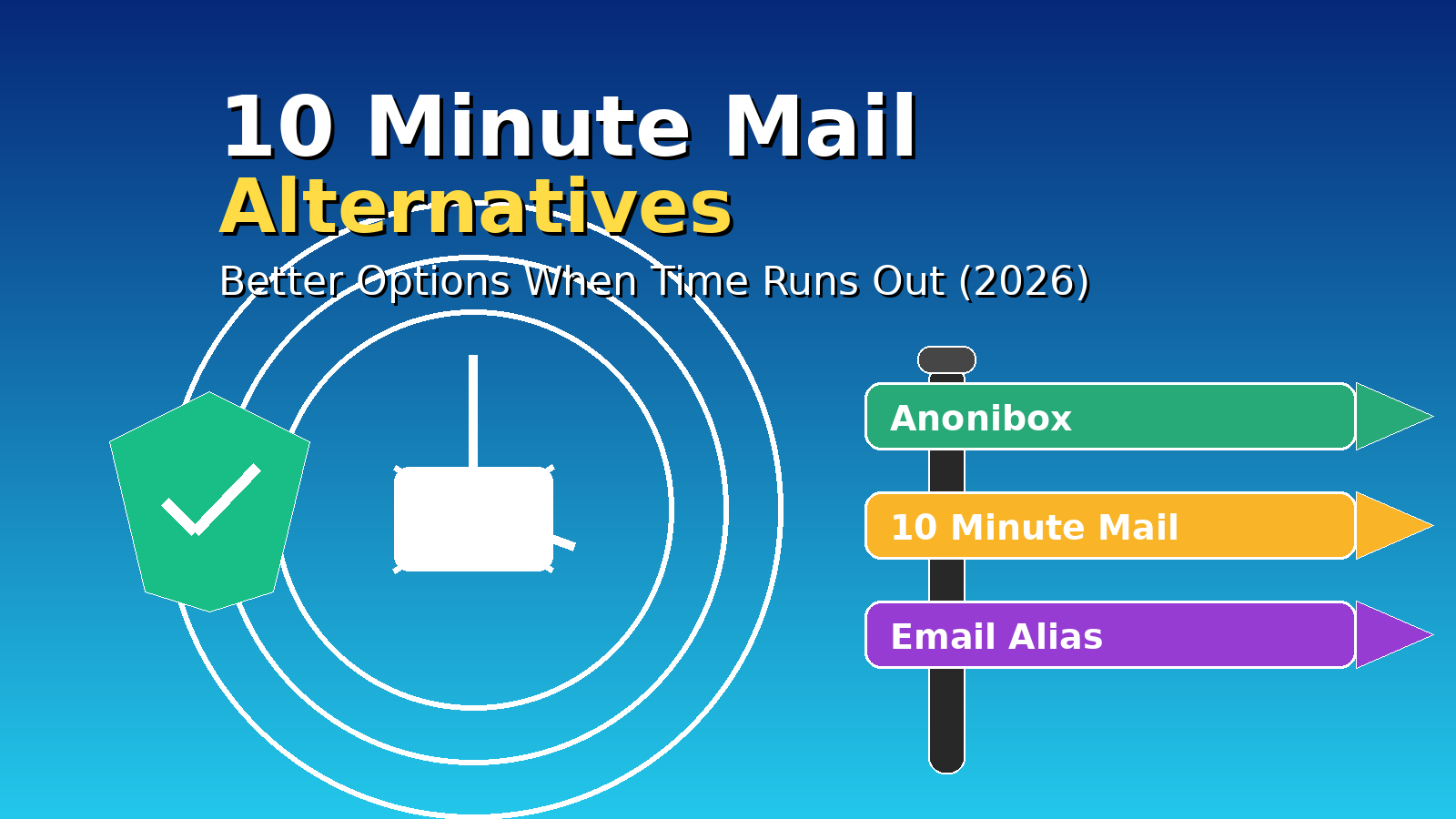
    10 Minute Mail Alternative (2026): 9 Better Options for OTP Codes & Quick Signups

    Updated January 2026.

    If you’re searching for a 10 Minute Mail alternative, you’re usually in a hurry. You need a short‑lived inbox to receive a verification code (OTP) or a confirmation link, and you need it before the timer expires.

    For the fastest “generate → receive → done” workflow, start here: Anonibox temporary email generator. It’s built for one‑off signups and codes with minimal friction.


    Quick picks: best 10 Minute Mail alternative by use case

    If you’re new to disposable email in general, start here: Disposable Email Address: What It Is & When to Use It.


    Why 10‑minute inboxes fail in real life

    10‑minute inboxes are great when everything goes perfectly. But the most common failure mode is simple:

    The message arrives after the inbox expires.

    That can happen for reasons that have nothing to do with you:

    • Sender delays: some platforms queue OTP emails or throttle bursts.
    • Verification systems: strict platforms may block certain disposable domains entirely.
    • Mobile background limits: if your browser tab sleeps, refresh can pause.
    • Timing mismatch: “10 minutes” is often not enough if you’re creating an account, solving a captcha, and waiting for email delivery.

    That’s why many people use a longer‑retention disposable inbox (or an alias) when reliability matters.


    Best 10 Minute Mail alternative for most people: Anonibox

    If your goal is “get the code fast,” a generator‑first workflow beats a countdown timer. That’s the core reason people switch to Anonibox temporary email generator.

    60‑second workflow

    1. Open Anonibox.
    2. Copy the generated address.
    3. Paste it into the signup / verification form.
    4. Keep the inbox tab open until the email arrives.
    5. Copy the OTP or click the confirmation link.
    6. Delete the inbox (or let it expire) when done.

    Important: temporary inboxes are for low‑stakes tasks. For banking, healthcare, government portals, or anything you might need later, use an alias instead: Email Alias (2025).


    9 best 10 Minute Mail alternatives (ranked by intent)

    1) Anonibox (best for fast OTP codes)

    When you’re racing the clock, speed and usability matter most. Start here: Anonibox temporary email generator.

    2) Email Alias (best for accounts you might keep)

    If there’s any chance you’ll need password resets, receipts, or account recovery, disposable email is the wrong tool. An alias keeps you private and recoverable.

    Email Alias (2025)

    3) Disposable Email (best for one‑shot downloads)

    Perfect for “send the download link to your email” gates.

    Disposable Email (2025)

    4) Throwaway Email (best for quick confirmations)

    Same spirit as disposable email: receive, confirm, vanish. Guide: Throwaway Email (2025).

    5) Burner Email (best for trials you might not keep)

    Evaluate tools without tying the trial to your primary identity. If you keep the product, re‑register with an alias.

    Burner Email (2025)

    6) Temporary Email Generator (best all‑rounder explainer)

    If you want the concept + use cases in one place:

    Temporary Email Generator — Fast, Private, Free (2025)

    7) Temporary Email for Wi‑Fi Login (best for captive portals)

    Wi‑Fi portals have their own quirks. Follow an ethical, practical workflow here:

    Temporary Email for Wi‑Fi Login (2025)

    8) If you’re comparing incumbents (use these hubs)

    9) Spam control playbook (when you’re tired of cleanup)

    If your primary inbox is already noisy, the long‑term solution is prevention + cleanup:

    How to stop your email from getting spam


    What to do when a website blocks 10‑minute inboxes

    Some platforms block disposable domains to reduce abuse. When that happens, the right move is not to “bypass it,” but to use the right privacy tool:

    • If you might keep the account: use an email alias.
    • If you only want spam separation: use a dedicated secondary mailbox you control.
    • If the site accepts it: plus addressing (name+tag@domain.com) can work, but many sites reject it too.

    If your verification email doesn’t arrive (do this first)

    Most “code didn’t arrive” issues are one of three things: sender delay, refresh issues, or domain blocking. Try this in order:

    • Wait 30–90 seconds (senders sometimes queue OTP emails).
    • Resend the code once.
    • Keep the inbox tab open (mobile browsers may pause background refresh).
    • Generate a fresh address and retry.
    • If the platform blocks disposable email, use an alias for that account.

    FAQs

    Is 10 Minute Mail safe?

    It’s fine for low‑stakes tasks like one‑time codes and quick signups. Don’t use it for sensitive accounts or anything you might need to recover later.

    What’s the best 10 Minute Mail alternative for OTP codes?

    For fast codes and fewer “timer ran out” failures, use a generator‑first workflow like Anonibox.

    Disposable email vs email alias: which should I choose?

    If you might keep the account, choose an alias. If you only need one message and want minimal residue, choose disposable. Guide: Email Alias (2025).


    Conclusion

    The best 10 Minute Mail alternative depends on what you’re doing:

    • Need a code right now? Use Anonibox temporary email generator.
    • Need recovery later? Use an email alias.
    • Need Wi‑Fi portal access? Use a workflow built for captive portals.

    Start here anytime you need a fast inbox: Anonibox temporary email generator.

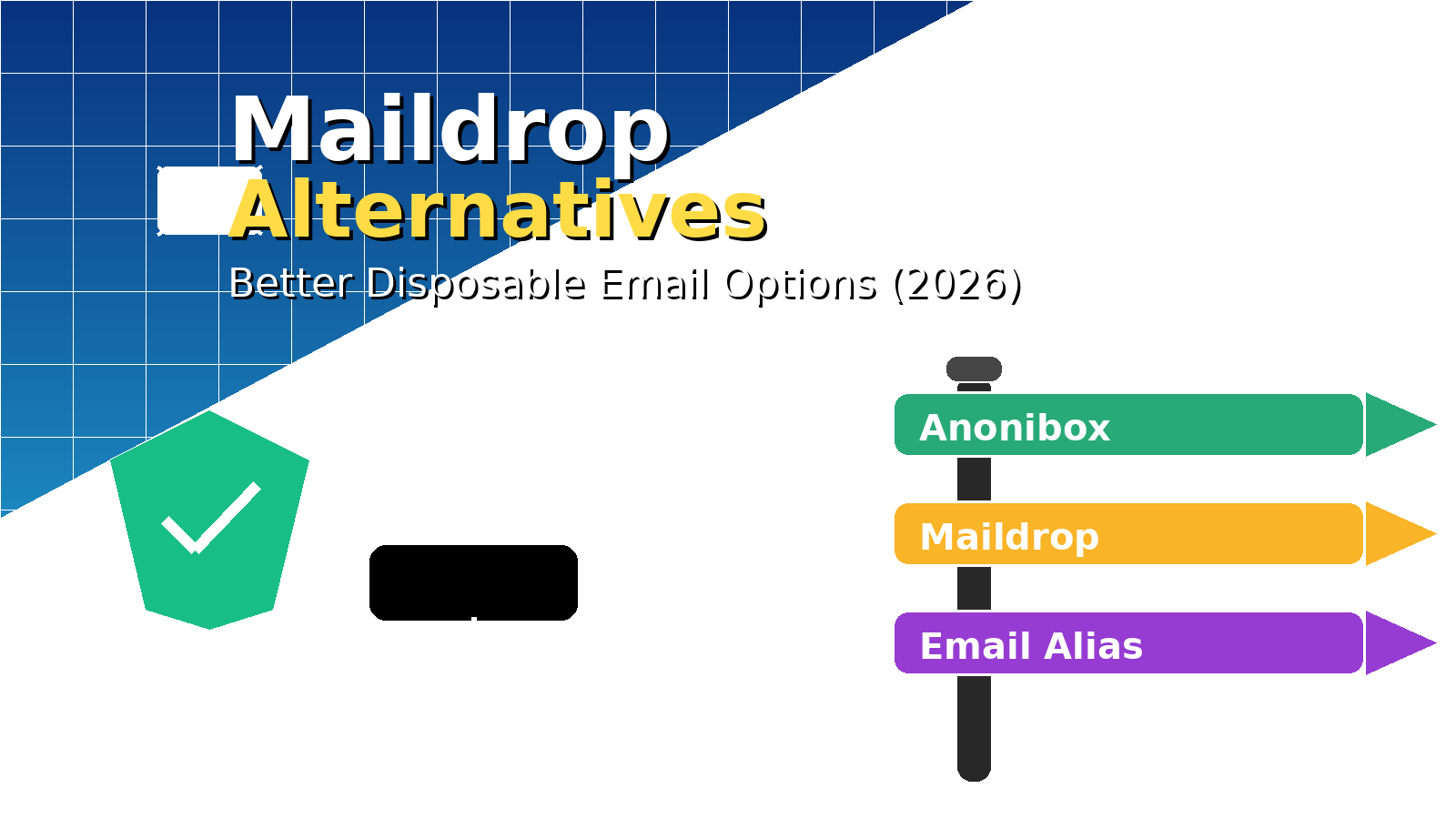
  • Maildrop Alternative (2026): 7 Better Options for Disposable Email & Spam Control

    Maildrop Alternative (2026): 7 Better Options for Disposable Email & Spam Control

    Updated January 2026.

    If you’re searching for a Maildrop alternative, you’re usually trying to solve one of these problems:

    • Get a verification code without handing your real email to a marketing funnel.
    • Protect your primary inbox from spam, tracking pixels, and data broker lists.
    • Test a signup flow (QA/dev) without creating real accounts.

    For the most common use case (fast OTP codes and one‑off signups), start here: Anonibox temporary email generator. Generate an address, receive the message, and move on—no registration required.


    Quick picks: the best Maildrop alternative by use case

    If you’re new to the concept, start with: Disposable Email Address: What It Is & When to Use It.


    What is Maildrop—and what should you know before you use it?

    Maildrop is a free disposable email service where you can invent an address on the @maildrop.cc domain, then view that mailbox in a browser. It’s popular because it’s frictionless: no signup, no passwords, and it “just works” for many low‑stakes tasks.

    But here’s the part many people miss: Maildrop is not built like a private mailbox. On its own documentation pages, it describes itself as designed for no security and little to no privacy. In other words: treat it like a public-ish drop box, not a secure inbox. That doesn’t make it “bad”—it just defines the right (and wrong) use cases.

    Maildrop is fine for

    • one‑time signups that you don’t care about later,
    • receiving a single link or code,
    • quick testing where the data is not sensitive.

    Maildrop is not appropriate for

    • banking, healthcare, taxes, legal portals, or government logins,
    • anything you might need to recover later,
    • sensitive personal information,
    • any activity that violates a platform’s rules.

    If you need a recoverable identity with a kill switch, use an alias instead: Email Alias (2025).


    Maildrop vs better alternatives (real‑world comparison)

    When people compare disposable email services, they usually focus on “Does it work?” The better question is:

    Does it work for my use case with the privacy trade‑offs I’m willing to accept?

    Option Best for Privacy posture When to avoid
    Anonibox OTP codes, confirmations, one‑off signups Designed for quick, low‑footprint use Long‑term accounts/recovery
    Maildrop Basic disposable inbox tasks Self‑described as “no security / little privacy” Sensitive data, anything you may need later
    Email Alias Accounts you might keep Forwarding/masking + control Instant throwaway tasks
    10 Minute Email Wi‑Fi gates & strict time boxes Short retention by design Slow senders / delayed OTPs

    For a deeper primer on all the related terms (temporary, throwaway, burner, etc.), see: Temp Mail (2025): The Ultimate Guide.


    Best Maildrop alternative for most people: Anonibox

    If your goal is simple—get the code, avoid spam, don’t create an account—then a disposable generator built for speed is the best fit. That’s what Anonibox is optimized for: Anonibox temporary email generator.

    60‑second workflow

    1. Open Anonibox.
    2. Copy the generated address.
    3. Paste it into the signup / verification form.
    4. Keep the inbox tab open until the message arrives.
    5. Copy the OTP or click the confirmation link.
    6. Delete the inbox (or let it expire) when you’re done.

    Pro tip: If you’re doing multiple signups in a row, rotate addresses. New signup → new inbox. Compartmentalization is how you keep spam from “following you home.”


    7 Maildrop alternatives (ranked by intent)

    1) Anonibox (best for fast OTP codes & one‑off signups)

    Use this when you want speed and minimal friction. It’s the simplest path for “I need a code right now.” Start here: Anonibox temporary email generator.

    2) Email Alias (best for accounts you might keep)

    If there’s any chance you’ll need password resets, receipts, replies, or recovery later, disposable email is the wrong tool. An alias keeps your primary inbox private while staying recoverable.

    Email Alias (2025): What It Is & When to Use It

    3) 10 Minute Email (best for Wi‑Fi/captive portals)

    When your session is truly time‑boxed, short retention is a feature. Great for airport/café Wi‑Fi gates and one‑shot access links.

    10 Minute Email (2025)

    4) Disposable Email (best for one‑shot downloads)

    This is the classic “get the PDF link, close the tab, move on” workflow. Ideal for whitepapers, coupon unlocks, and gated resources.

    Disposable Email (2025)

    5) Throwaway Email (best for quick confirmations)

    Throwaway email is basically the same mindset as disposable: receive, confirm, vanish. If you want a plain‑English guide with legitimate use cases, start here:

    Throwaway Email (2025)

    6) Burner Email (best for trials you might not keep)

    Burner emails are great for evaluating tools without tying the trial to your primary identity. If you keep the product long‑term, re‑register with an alias.

    Burner Email (2025)

    7) Disposable Temporary Email (best for learning the whole ecosystem)

    If you want the most complete “how it all fits together” guide, this one maps the terms and the real‑world workflows:

    Disposable Temporary Email (2025)


    What to do when a website blocks @maildrop.cc (or any disposable domain)

    Some platforms block disposable domains to reduce automated signups and abuse. When that happens, the right move is not to “bypass it,” but to choose a more appropriate identity tool:

    • If you might keep the account: use an email alias.
    • If you just want spam separation: use a dedicated secondary mailbox you control.
    • If you’re only filtering: plus addressing (name+tag@domain.com) can help—unless the site blocks it too.

    This is part of the broader anti‑spam playbook here: How to stop your email from getting spam.


    If your verification email doesn’t arrive: troubleshooting checklist

    Before you start over, run this quick checklist (it solves most “where is my code?” moments):

    • Wait 30–90 seconds (some senders queue OTP emails).
    • Hit “Resend code” once.
    • Keep the inbox tab open (mobile browsers can pause background refresh).
    • Generate a fresh address and try again.
    • If the site blocks disposable email, switch to an alias for that account.

    FAQs

    Is Maildrop safe?

    Maildrop is fine for low‑stakes tasks, but it’s not meant to be a secure private mailbox. If you need privacy, durability, replies, or recovery, use an alias (or another tool designed for that job).

    Is a Maildrop alternative legal?

    Disposable email and aliases are legitimate privacy tools. The line is crossed when someone uses them for fraud, harassment, or breaking a platform’s rules.

    What’s the best Maildrop alternative for verification codes?

    For fast OTP codes and one‑off signups, a disposable generator like Anonibox is the simplest choice.

    Which is better: disposable email or an email alias?

    If you might keep the account, choose an alias. If you only need one message and you want zero residue, choose disposable. This guide explains it clearly: Email Alias (2025).


    Conclusion

    A good Maildrop alternative depends on your intent:

    More reading (highly practical):